# Как оставить отзыв о приложении Itgrix в amoCRM?

Чтобы оставить отзыв в amoCRM, нужно обладать правами администратора.

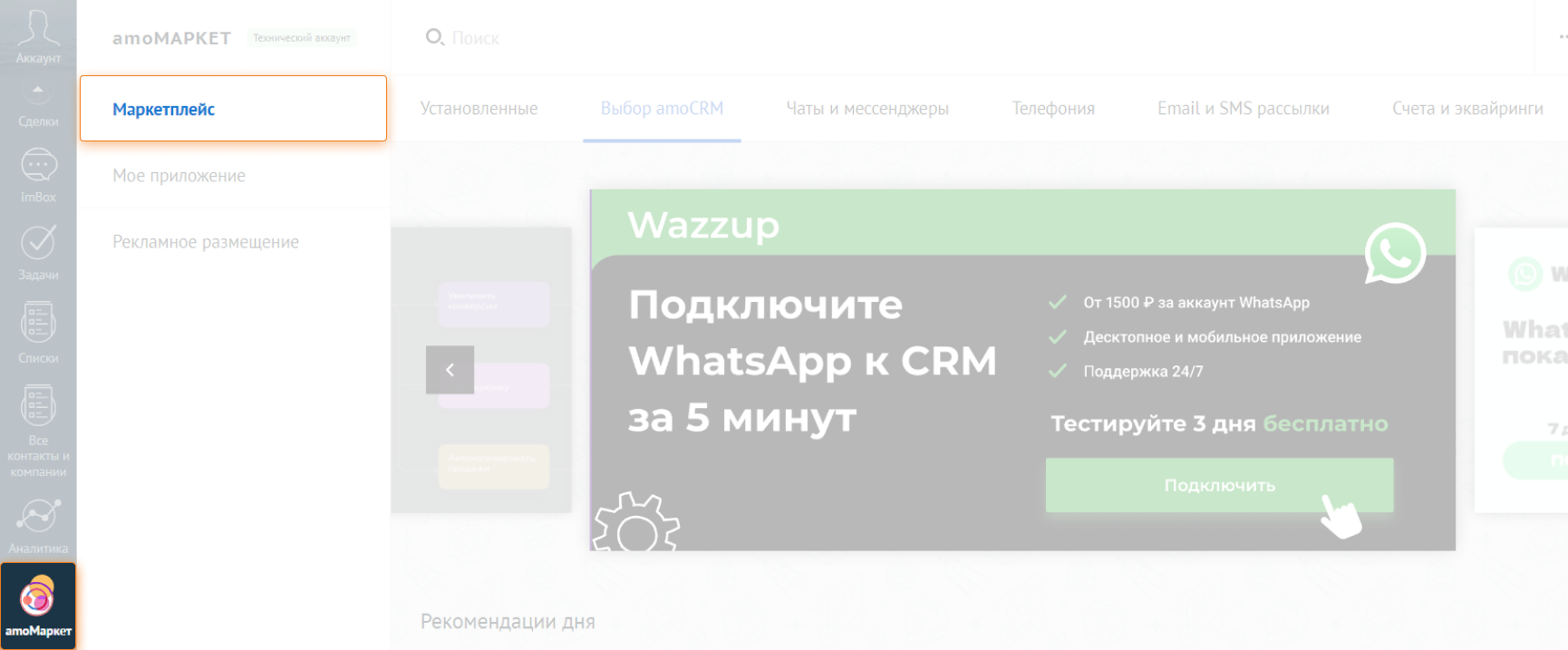
Перейдите в **амоМаркет - Маркетплейс**

<figure><img src="/files/IMhG3KXnaEmAn7CKVHrW" alt=""><figcaption></figcaption></figure>

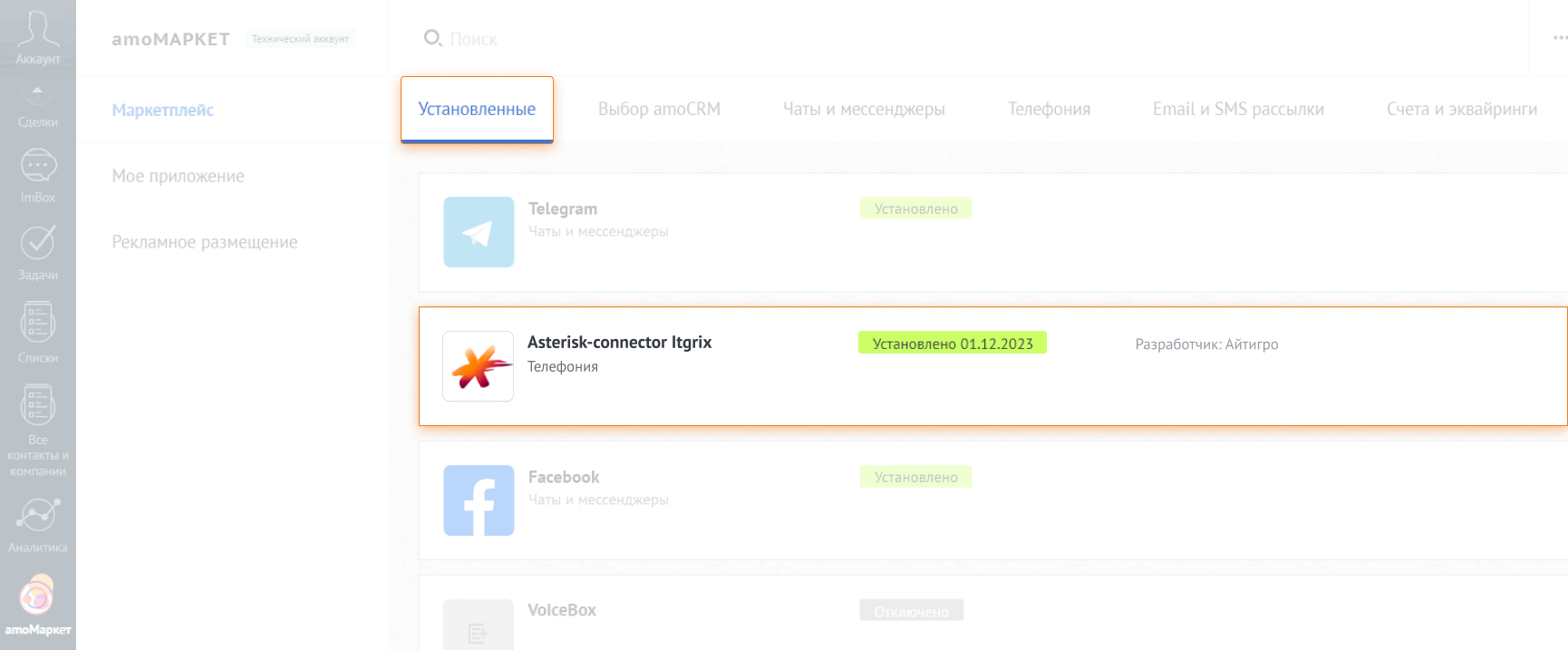
Нажмите на вкладку **Установленные** и выберите виджет **Asterisk-connector Itgrix**

<figure><img src="/files/bzTYyAeAL2BQrct6qEIu" alt=""><figcaption></figcaption></figure>

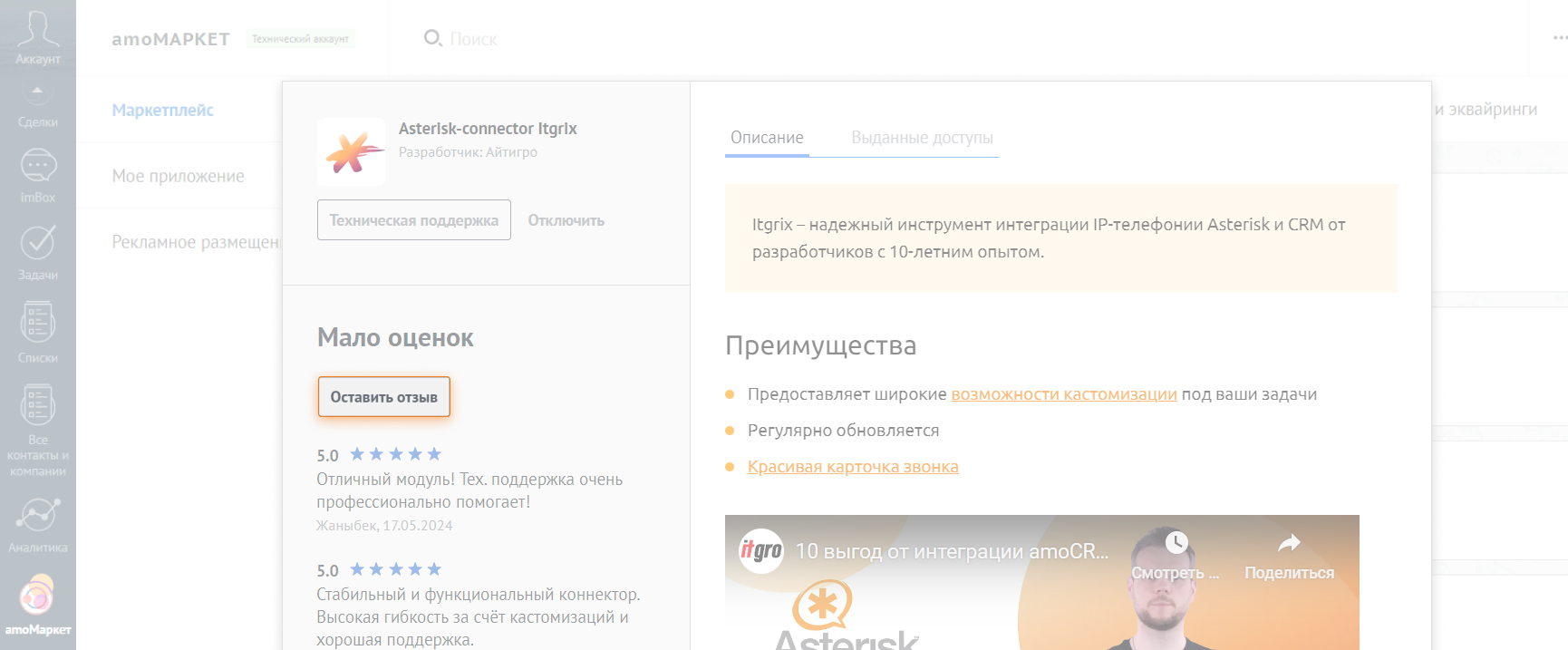
Откройте виджет и нажмите **Оставить отзыв**

<figure><img src="/files/jtQRGZRdy1JD0ynRGgZF" alt=""><figcaption></figcaption></figure>

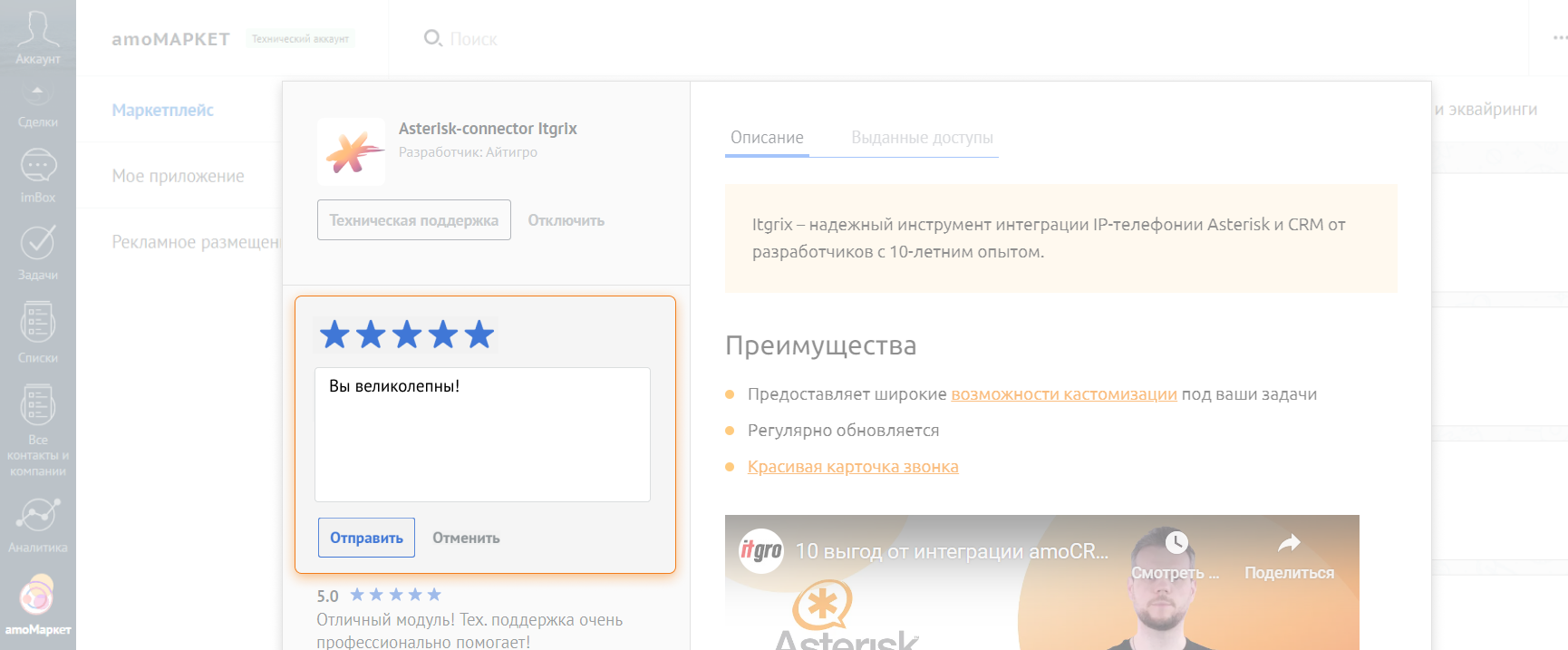
Напишите отзыв и нажмите кнопку **Отправить**.

<figure><img src="/files/qPAcwPApl25W0xJpeS6c" alt=""><figcaption></figcaption></figure>

**Спасибо, вы тоже великолепны**!

{% hint style="success" %}
Отправьте нам скрин отзыва и добавим вам **+1 месяц** к сроку окончания вашей лицензии на Itgrix.
{% endhint %}


---

# Agent Instructions: Querying This Documentation

If you need additional information that is not directly available in this page, you can query the documentation dynamically by asking a question.

Perform an HTTP GET request on the current page URL with the `ask` query parameter:

```
GET https://docs.itgrix.ru/faq/how-to-leave-a-review-amo.md?ask=<question>
```

The question should be specific, self-contained, and written in natural language.
The response will contain a direct answer to the question and relevant excerpts and sources from the documentation.

Use this mechanism when the answer is not explicitly present in the current page, you need clarification or additional context, or you want to retrieve related documentation sections.